
Cloud computing means using computing power, storage, and software over the internet instead of relying only on a local computer or office server. If you use Google Drive, stream a movie, or run a business app in a browser, you're already using the cloud.
In 2026, this matters more than ever. AI tools need huge computing power, remote work still shapes daily business, and many companies now depend on AWS, Microsoft Azure, and Google Cloud to run core systems. The upside is real, but so are the trade-offs. A clear look at the benefits, risks, and trends makes the cloud far easier to judge.
How cloud computing works, without the jargon
At a basic level, cloud computing lets you rent technology instead of owning all of it yourself. A provider runs the servers, storage, and networks in large data centers. You connect over the internet and use what you need.
Public cloud is the shared model. You rent space and computing from a provider, which keeps costs lower for most teams. Private cloud is built for one organization, often for stricter control or compliance needs. Hybrid cloud mixes both, so a business can keep sensitive work in one place and move other tasks to the public cloud.
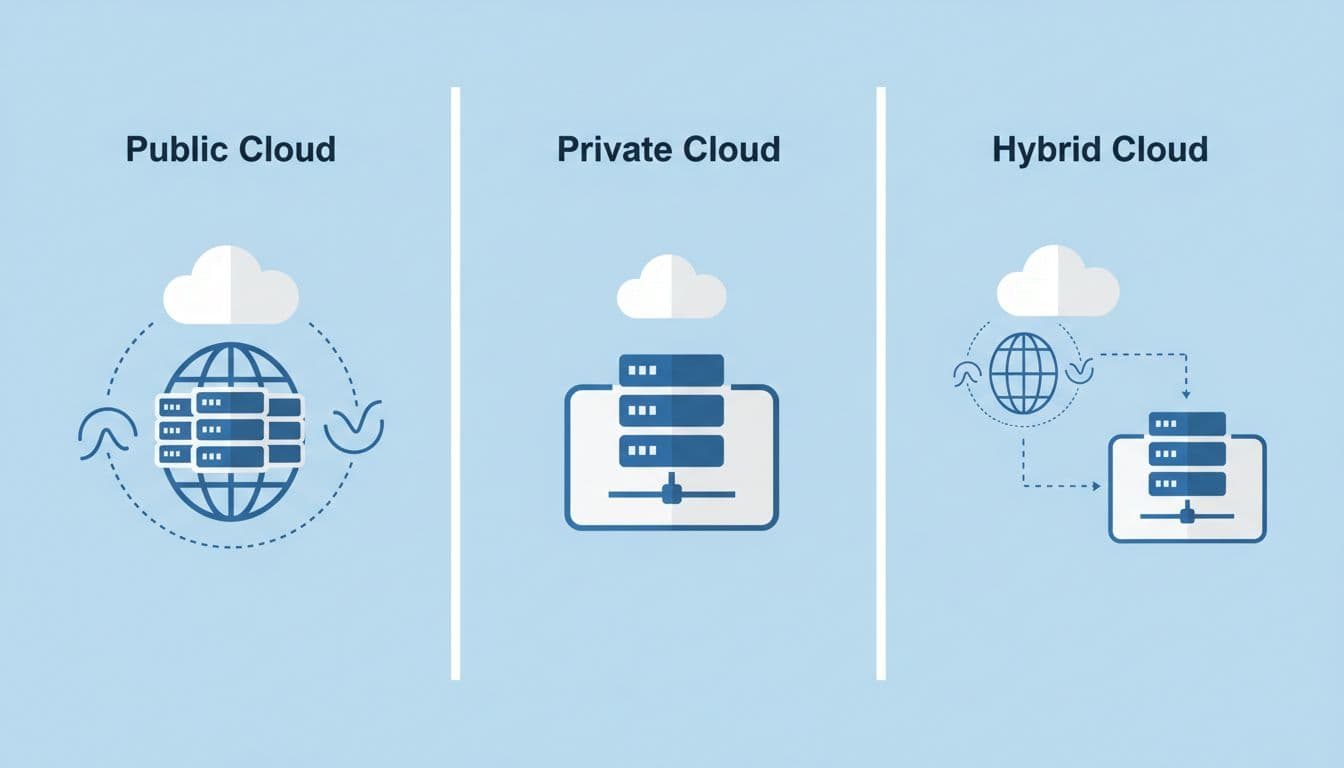
Many large companies now go a step further with multi-cloud setups. That means using more than one provider, often for flexibility, price, or backup options. As recent 2026 cloud trend coverage from InformationWeek points out, hybrid and multi-cloud are now common choices, not side projects.
The main service types most people hear about
IaaS, or Infrastructure as a Service, is the closest to renting raw tech. You get servers, storage, and networks. For example, a retailer might rent virtual servers during the holiday rush.
PaaS, or Platform as a Service, gives developers a ready-made place to build apps. The provider handles much of the setup. A small software team might use it to launch a customer portal faster.
SaaS, or Software as a Service, is the easiest to spot. You open an app and use it online, like Microsoft 365, Salesforce, or Zoom.
Why businesses choose public, private, or hybrid cloud
Public cloud often wins on price and speed. A startup can launch fast without buying hardware.
Private cloud makes sense when control matters more. Banks, hospitals, and government agencies often need tighter rules around data.
Hybrid cloud is the middle path. It gives teams room to move workloads where they fit best, which is why so many enterprises prefer it.
The biggest benefits of cloud computing for businesses and users
The cloud caught on because it solves real problems. It helps companies spend less upfront, move faster, and avoid buying equipment that may sit half-used later.
That demand keeps growing. Depending on the forecast, 2026 cloud spending is estimated at around $830 billion globally, while broader public cloud forecasts top $1 trillion. Either way, businesses are putting serious money behind cloud services because the model works.
Lower upfront costs and room to scale fast
Traditional IT often meant buying servers before you knew how much demand you'd have. Cloud pricing changed that. Most providers use pay-as-you-go billing, so companies can start small and add more capacity when traffic rises.
That matters in the real world. An online store can handle Black Friday spikes without buying hardware that sits idle in February. A new app can go live in days instead of waiting weeks for gear, setup, and testing.
Cloud tools also help AI projects get off the ground faster. Teams can rent GPUs, storage, and managed AI services instead of building everything from scratch. For startups and mid-sized firms, that can shrink the gap between an idea and a working product.
Better teamwork, faster updates, and stronger continuity
Cloud platforms also make work easier across locations. People can access files, dashboards, and shared apps from home, the office, or the road. Because data lives in the cloud, teams don't need to pass around the latest version of a file and hope nobody overwrites it.
Updates are simpler too. SaaS vendors push fixes and features without asking users to install much locally. Meanwhile, cloud backup and disaster recovery help companies recover faster after outages, deleted files, or ransomware.
The best cloud benefit is flexibility, because businesses can add speed without locking themselves into one fixed setup.
The real risks of cloud computing, and how to reduce them
Cloud systems aren't risky by default, but they do create new ways to make mistakes. Recent reporting shows about 80% of organizations experienced a cloud breach or major cloud security incident within the last year or so. That doesn't mean the cloud is broken. It means cloud security depends heavily on how people set it up and manage it.
Security and privacy problems often start with simple mistakes
Many cloud problems begin with misconfigurations. A storage bucket gets left open. Access permissions are too broad. Encryption isn't turned on. One weak admin password can expose far more than expected.
The cloud uses a shared responsibility model. The provider secures the underlying infrastructure. The customer still must secure users, settings, data, and app access. That's where teams often slip.
Two ideas help. Zero trust means no user or device gets automatic trust, even inside the network. DevSecOps means adding security checks during app building and deployment, not after release. Recent cloud risk analysis from Qualys also shows how identity and permissions now drive much of today's cloud exposure.
Costs, compliance, and vendor lock-in can catch teams off guard
Security isn't the only issue. Cloud bills can climb fast, especially with storage growth, data transfer fees, and AI workloads. A team may spin up resources in minutes and forget to turn them off.
Compliance adds another layer. Some industries and regions require data to stay in specific places, which pushes companies to think about data sovereignty and audit trails. That's one reason some firms now move certain workloads back on site.
There's also the skills gap. Hybrid and multi-cloud setups are powerful, but they are harder to manage well. A recent Fortinet cloud security trends report highlights how visibility problems, configuration challenges, and security staffing shortages still slow teams down.
Cloud computing trends shaping 2026 and the next few years
The next phase of cloud computing is less about basic adoption and more about smarter use. Companies want speed, control, and safer data, so cloud strategy is getting more selective.
AI-native cloud and edge computing are changing how work gets done
AI-native cloud platforms are built to support AI workloads from the start. That helps teams automate support tasks, write code faster, improve system performance, and build apps with fewer manual steps.
Edge computing pushes some processing closer to where data is created, such as stores, factories, cars, and medical devices. That cuts delay and helps systems respond faster. A smart camera, for example, can process video nearby instead of sending everything to a distant cloud region.
Why sovereign cloud and quantum-safe security are getting more attention
Sovereign cloud keeps data and operations under tighter local control, often within one country or legal area. That matters when businesses face stricter privacy rules or want clearer control over who can access sensitive information.
Quantum-safe security is the effort to prepare encryption for future quantum computers. Those machines aren't breaking everyday business systems today, but companies with long-lived data don't want to wait until the risk is urgent. As TechTarget's 2026 cloud trends overview notes, more organizations are rethinking cloud design around cost, control, and long-term security.
Cloud computing can save money, speed up work, and support growth, but it only pays off when the setup fits the job. Public, private, hybrid, and multi-cloud each solve different problems.
The strongest takeaway is simple: cloud isn't one-size-fits-all. Teams that manage access carefully, watch spending, and match the platform to the workload will get the most value, without getting blindsided by risk.